7 Signs Your Website Is Costing You Sales

A few months back, a plumber in South Yorkshire told us he’d just landed a job because the customer had “tried four other websites first and couldn’t make any of them work.” He thought he was lucky. He wasn’t. He was the last man standing on a list of failing websites, most of them built by people who should have known better.
If your phone is quieter than it used to be, or your enquiry form’s gone silent, or the people who do find you sound surprised they did, your website might be the problem. Quietly losing you customers while looking fine on the surface. The frustrating thing about a failing website is that it doesn’t break loudly. It just stops working, slowly.
Here are seven signs your website is costing you sales, with a clear-eyed look at what to do about each. Some need a rebuild. Most don’t, and we’ll be specific about which is which.
1. Visitors leave within seconds on a phone
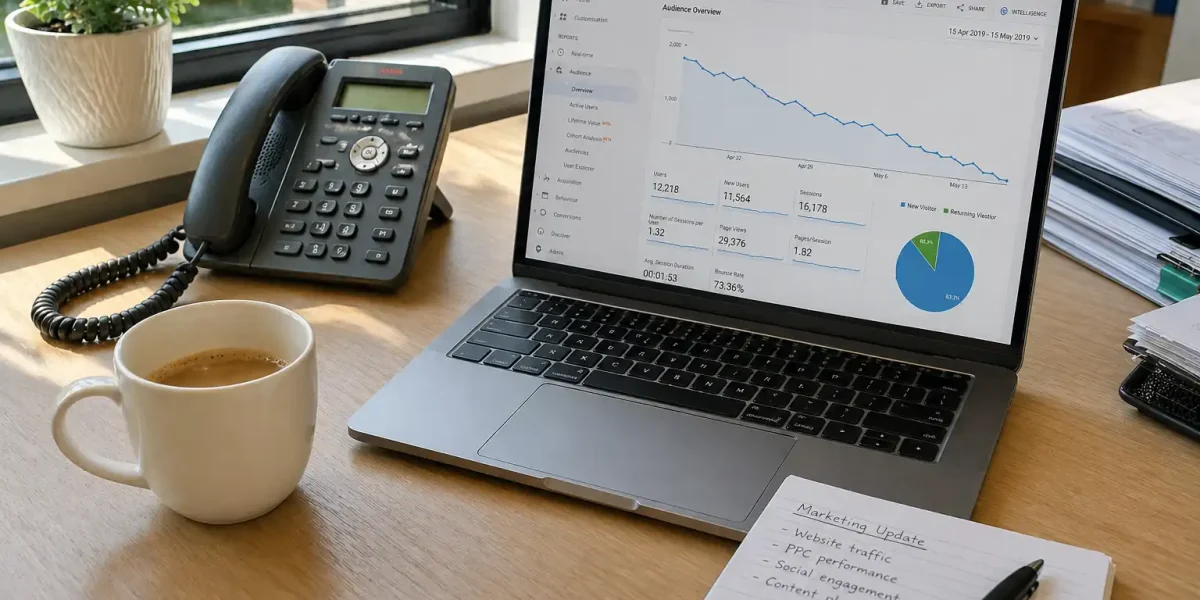
If three out of four people landing on your site are doing it on a phone, and the site was designed for the desktop view you signed off in 2019, you’ve got a problem the analytics will tell you about in plain English. High bounce rates on mobile. Sessions under 10 seconds. Pages where mobile traffic drops off in a place desktop doesn’t.
The fix is rarely a new website. It’s almost always a serious mobile audit, plus a redesign of the pages that matter most: the homepage, your service pages, your contact page. We’ve stopped recommending full rebuilds for this on their own. You’re paying to redo work that’s still fine, just to fix one issue.
How to check it yourself: open Google Search Console, go to “Page experience”, and look at the mobile usability report. If you’ve got more than a handful of failing URLs, that’s your starting point. Then open the worst-performing page on your own phone and time how long it takes to load. If it’s over four seconds on a half-decent connection, you’ve found the problem before you’ve fixed anything else.
2. Your enquiry form gets junk, or nothing at all
Two failure modes, and they’re equally bad.
Junk only: every morning you open your inbox to thirty messages from “Anna” with a free SEO audit. Spam protection on the form has either lapsed or was never properly set up. Your real customers are still getting through, but you’ve trained yourself to ignore the inbox. Real enquiries get lost in the noise.
Silence: nothing comes in for weeks. Either the form itself is broken (it happens more often than people think, particularly after WordPress updates), or your visibility’s dropped and there’s no one finding the page in the first place. Both versions cost you customers.
Spam has changed in the last couple of years. Volumes are up, the bots are better at faking real-looking enquiries, and the old reCAPTCHA v2 “click the boxes” challenges have stopped catching the worst of them. If you set up your form before 2023 and nobody’s been near it since, the protection on it is probably out of date even if it looked fine at the time.
The fix takes about an hour for a properly set up form: a honeypot field, a Cloudflare Turnstile or hCaptcha challenge running invisibly in the background, and a notification you actually trust. We tend to send a test submission once a month from a personal email to confirm everything’s still firing. If that sounds excessive, ask yourself how you’d know if it stopped.
3. You can’t update it yourself without breaking something
A website you can’t touch is a website you don’t really own. You’re renting it from whoever built it.
This usually shows up the first time you try to change a phone number, swap an image, or update an opening hours notice before Christmas. Something else breaks. The footer disappears. Half a page goes blank. You phone the developer, who’s now busy or has gone quiet, and you wait three days for a ten-minute fix.
The cost isn’t just the developer fee. It’s the time you waste working around your own website, the updates you stop bothering to make because they’re more trouble than they’re worth, and the slow erosion of a site that gets less and less useful as the months pass.
WordPress sites built on a clean theme, with a tidy editor and proper user roles, should let a non-technical owner change copy, swap photos, and add new pages without anyone’s permission. If yours doesn’t, that’s a build problem, not a you problem.
4. It hasn’t been touched since the company that built it vanished
We see this every few weeks. A business owner gets in touch because their website’s been throwing security warnings, or it’s just gone down, and the agency that built it three years ago has stopped replying to emails. Sometimes the company’s been dissolved at Companies House and nobody told them.
A neglected WordPress site is a security and SEO problem at the same time. Plugins go out of date. Themes go out of date. The PHP version on the hosting drops out of support. Each one is a small risk on its own. Together, they’re how sites get hacked, blacklisted, or quietly drop out of Google’s index.
If your last update email or invoice from your developer is more than a year old, log in to the site’s admin and check the dashboard. If it’s a sea of red “update available” warnings, you’ve got a maintenance gap that’s been costing you for a while. The longer you leave it, the bigger the rebuild becomes when it eventually has to happen.
If you don’t have admin access at all, that’s a separate flag. A developer who hasn’t given you the keys to your own website was setting up a problem from day one. Recovering from that situation is usually possible. It just takes a bit longer than it should have.
5. Google Search Console says “discovered, not indexed”
If you’ve never opened Google Search Console, that’s the first job. It’s free, it’s Google’s own tool, and it will tell you in plain language whether your pages are showing up in search results. We’re a bit surprised every time we ask a new client if they’ve checked it and find out the answer is “what’s that?”
The phrase to watch for is “Discovered, currently not indexed”. It means Google has found your page, looked at it, and decided it’s not worth showing to anyone. There are a handful of reasons this happens: thin content, duplicate content, crawl budget issues on a slow site, or pages Google’s seen so many lookalikes of that yours doesn’t earn a spot.
Worth knowing: a few unindexed pages aren’t a crisis. Most sites have a handful sitting in there for legitimate reasons (thank-you pages, internal admin pages, that sort of thing). The problem is when product pages, service pages, or your homepage land in that category. We’ve written a longer piece on what ‘discovered, not indexed’ actually means and how to fix it. The short version: if more than a quarter of your important pages are sitting in this category, your content strategy needs work, not your code.
6. The phone’s stopped ringing, but your ad spend hasn’t changed
This is the sign business owners spot last, because it creeps up on you. Google Ads costs the same. Facebook costs the same. Traffic looks roughly stable in the analytics. But the calls and enquiries are down, and you can’t put your finger on when it started.
A working website converts the traffic you pay for. If your conversion rate has dropped while your spend has held steady, the site is the leak. We’ve seen this caused by a slow page (a 4.7 second load time on mobile isn’t unusual on neglected WordPress installs), a contact form that’s quietly broken, a phone number that’s stopped being clickable on mobile, or a hero section that’s stopped making sense to a first-time visitor. Often it’s a combination of two or three of those.
The diagnostic is straightforward. Compare your call and enquiry volume month-on-month for the last twelve months, alongside your traffic over the same period. If traffic is steady but enquiries are falling, your site has been losing you money for as long as that gap has existed. The fix is usually small and targeted, not a wholesale rebuild. Sometimes the whole gap closes when one broken thing gets fixed, which is its own kind of frustrating.
7. You wince when you send the link to a prospect
The least technical sign, and one of the most reliable. If you find yourself writing “ignore the website, here’s a PDF instead” in emails to potential customers, or hesitating before sharing the URL on a sales call, your gut is telling you something the analytics haven’t caught yet.
Customers feel that hesitation. They see the same site you’re embarrassed by, and they make the same call about your business. A website that doesn’t represent the work you do is a tax on every other piece of marketing you put out. Every pound you spend on Google Ads, on print, on a sponsorship, on a networking event, drives people back to a place that quietly undermines the rest.
A useful exercise: write down the three things you most want a new customer to know about your business, then open your homepage and see how many of them are clearly visible above the fold. If it’s none, that’s the rebuild conversation, not a refresh. If it’s one or two, you may be closer than you think to a site that earns its keep, and the work is targeted rather than total.
What to do next
The fix isn’t always a new website. Sometimes it’s a refresh of the pages that matter most, while keeping the structure that already works. Sometimes it’s a maintenance plan that handles the security, the speed, and the search visibility together. Sometimes it’s targeted work on a single sign on the list above (the form, the mobile experience, the indexing problem) before anything else needs to change.
The honest answer for most sites we look at is this: two or three of these signs are present at once, they’re feeding each other, and addressing one in isolation won’t make much difference. That’s the conversation worth having before any quote, any timeline, or any rebuild.
If you’re not sure where to start, or you’ve already worked out what a new website actually costs and you’re weighing up whether it’s worth it, tell us about your site and we’ll take a look. No sales pitch, no obligation. We’ll tell you straight whether the work is worth doing and what we’d do first.